Services overview
The databases, caches, mail servers and search engines Joppa runs in containers, and how to add them.
A service is a server shared by your projects, which Joppa runs in your container runtime. Open Services in the sidebar: the page lists your services, then the catalog.
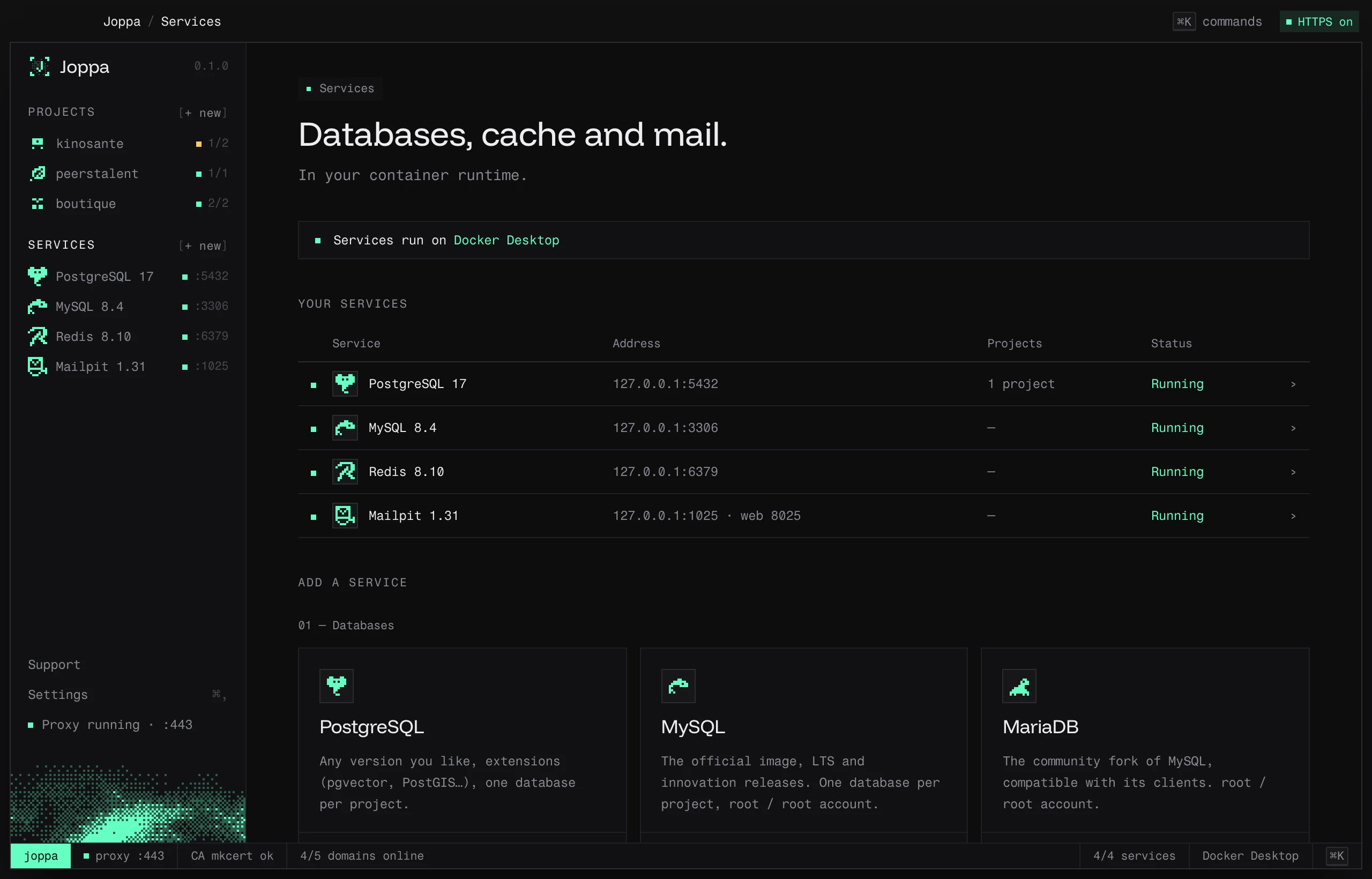
The catalog
| Service | Versions | Default port | Account or key |
|---|---|---|---|
| PostgreSQL | 18, 17, 16, 15, 14 | 5432 | postgres / postgres |
| MySQL | 9.7, 8.4, 8.0 | 3306 | root / root |
| MariaDB | 12.3, 11.8, 11.4, 10.11 | 3306 | root / root |
| Redis | 8.10, 8.8, 7.4 | 6379 | — |
| Valkey | 9.2, 9.1, 8.1 | 6379 | — |
| Mailpit | 1.31 | SMTP 1025, web inbox 8025 | — |
| Typesense | 30.2, 29.1 | 8108 | API key joppa-local-key-0000 |
| Meilisearch | 1.55, 1.54 | 7700 | master key joppa-local-key-0000 |
The first version listed is the default.
Add a service
Click + Add PostgreSQL (or another one) in the catalog. Choose the version and port: Joppa suggests the first free port starting from the default one (a second MySQL server takes 3307). The service starts in a container named joppa-<engine>.
All services listen on 127.0.0.1 only: they’re not visible from the network.
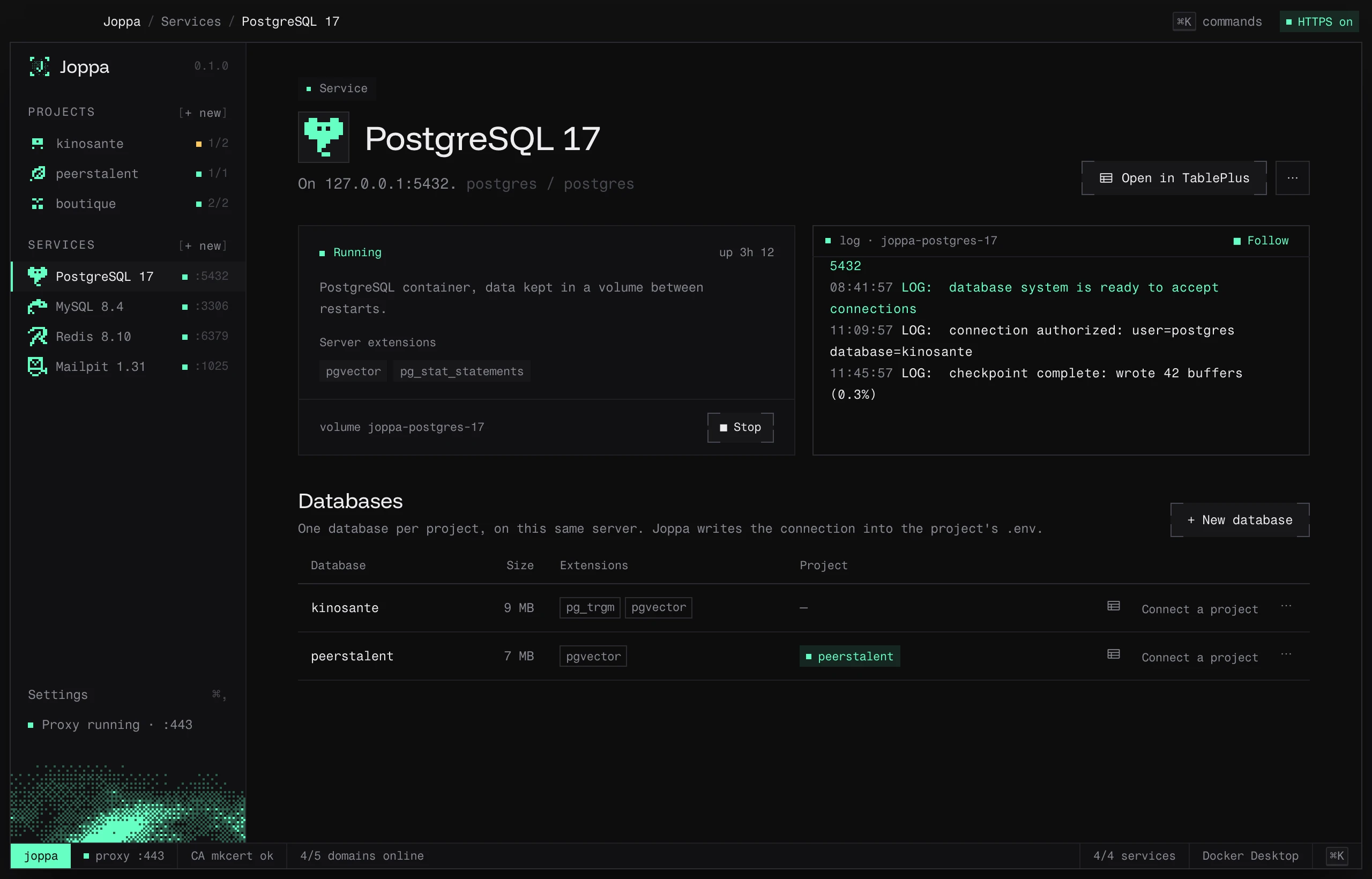
A service’s page
- Start / Stop, and how long it’s been running.
- Copy server URL (or the address, API key or master key, depending on the service).
- Open in TablePlus for databases and caches, Open inbox for Mailpit, Open preview for Meilisearch.
- Projects: the projects that use it, Connect a project and Unlink. Joppa writes the service’s address into their
.envand keeps it up to date. - log: the container’s logs, with Follow.
- Actions menu: Version and port… (or Version, port and extensions… for PostgreSQL) and Remove service….
Change version or port
Changes apply on the next start; the page offers ↻ Apply changes (the container is recreated, data is kept).
- Each version has its own data, in a volume (
joppa-postgres-17). Switching from 17 to 18 starts an empty server; going back to 17 brings its databases back. - Changing the port updates the
.envof linked projects.
Remove a service
Remove service… deletes the container. Data stays in its volume: adding the same service again brings it back.
Port in use
If the port is already taken, the page shows “✕ Port 5432 is used by …” with two options: Change port, or Free the port. Joppa identifies the culprit and offers the right action:
| Occupant | Suggested action |
|---|---|
| Docker, Compose or Lerd container | Stop it |
| Homebrew service | brew services stop … (it won’t start again at login) |
| Postgres.app | Not possible from Joppa: click “Stop” in Postgres.app |
| Other process | Stop it directly, after confirmation |