Node, bun and PHP versions
Pin the Node version, package manager and PHP version per project, with Vite+ and static PHP builds.
The Runtime tab (R) shows what the dev server and your terminals use in the project folder, and lets you pin it.
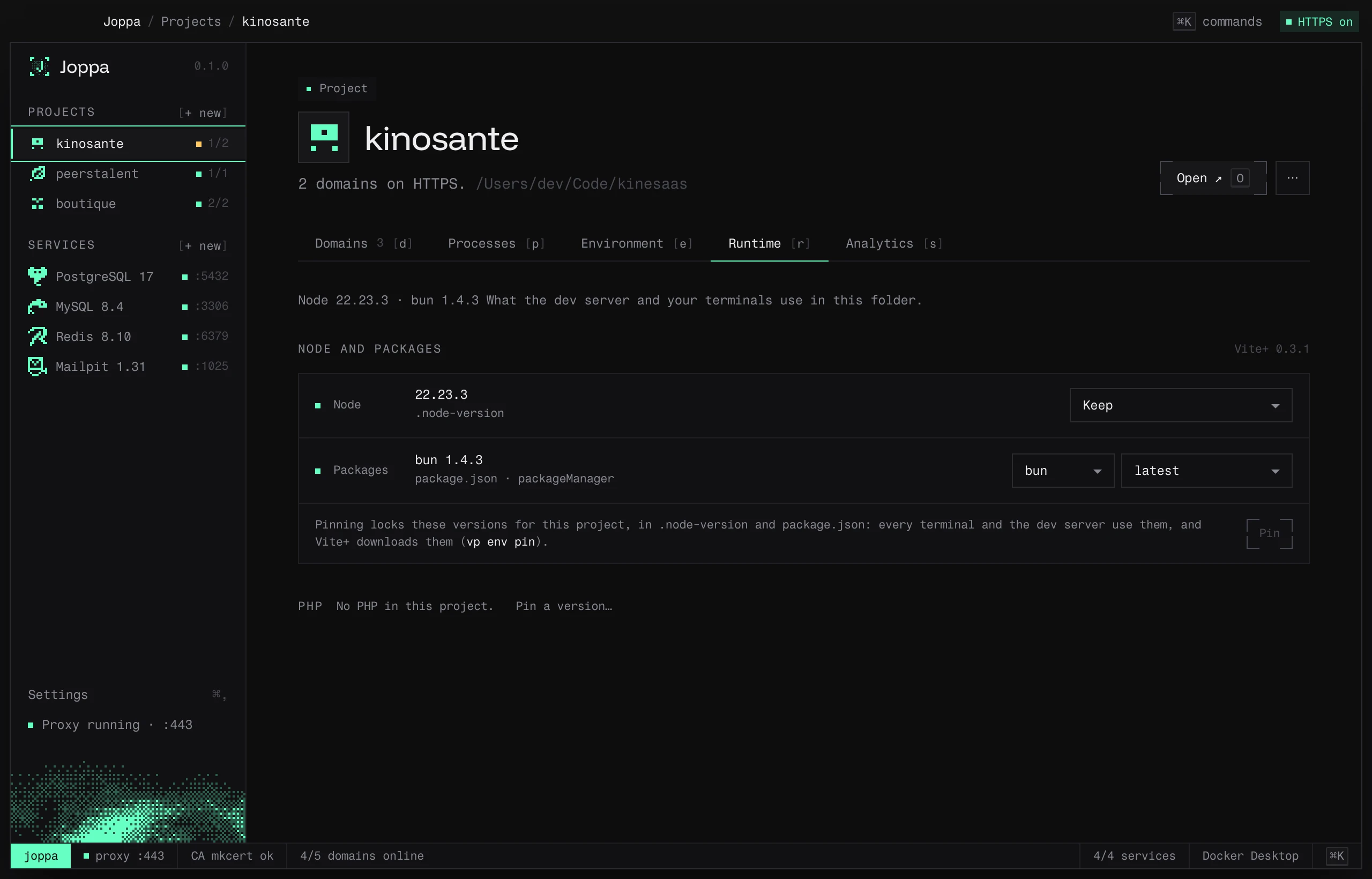
Node and the package manager
Joppa relies on Vite+, which downloads the Node version and package manager (bun, pnpm, npm, yarn) pinned by each project, then puts them on your terminals’ PATH. If Vite+ isn’t installed, the tab gives you the command to install it.
- Node version: Keep, Latest LTS or a specific version.
- Package manager and its version.
- Pin writes
.node-versionand thepackageManagerfield ofpackage.json: every terminal and the dev server then use these versions (vp env pin).
Joppa reads versions in this order: devEngines, then a version file (.node-version, .nvmrc), then engines.
PHP
Joppa downloads static PHP builds (static-php.dev), from 8.1 to 8.5, and stores them in its folder.
- Pin a version…: choose the version; Install and use downloads it if needed and writes
.php-versionat the project root. - Unpin deletes
.php-version.
PHP in your terminals
Joppa puts a php command and a composer command in its bin folder; they read the .php-version of the current folder (or a parent). For your terminals to use them, this folder must come first in your PATH.
Add it for me… (or Settings › PHP › Use Joppa’s PHP in my terminals) adds this block to your shell profile, after confirmation:
# >>> Joppa (PHP) >>>
export PATH="/Users/you/Library/Application Support/joppa/bin":"$PATH"
# <<< Joppa (PHP) <<<| Shell | File changed |
|---|---|
| zsh | ~/.zshrc |
| bash | ~/.bash_profile (macOS), ~/.bashrc (Linux) |
| fish | ~/.config/fish/conf.d/joppa.fish (with fish_add_path --prepend) |
You remove the block from the same settings. Open a new terminal after the change.
Outside pinned projects
Settings › PHP › Outside pinned projects chooses the PHP used everywhere else: the system’s or a Joppa version.
Composer
Settings shows which Composer is used (Joppa’s or the system’s). Download Composer installs it in Joppa, after verifying its checksum.