Settings
Each section of Joppa's Settings and what it controls, from the proxy to the appearance.
Open Settings with ⌘ , or from the sidebar. Sections are numbered, with a table of contents on large windows.
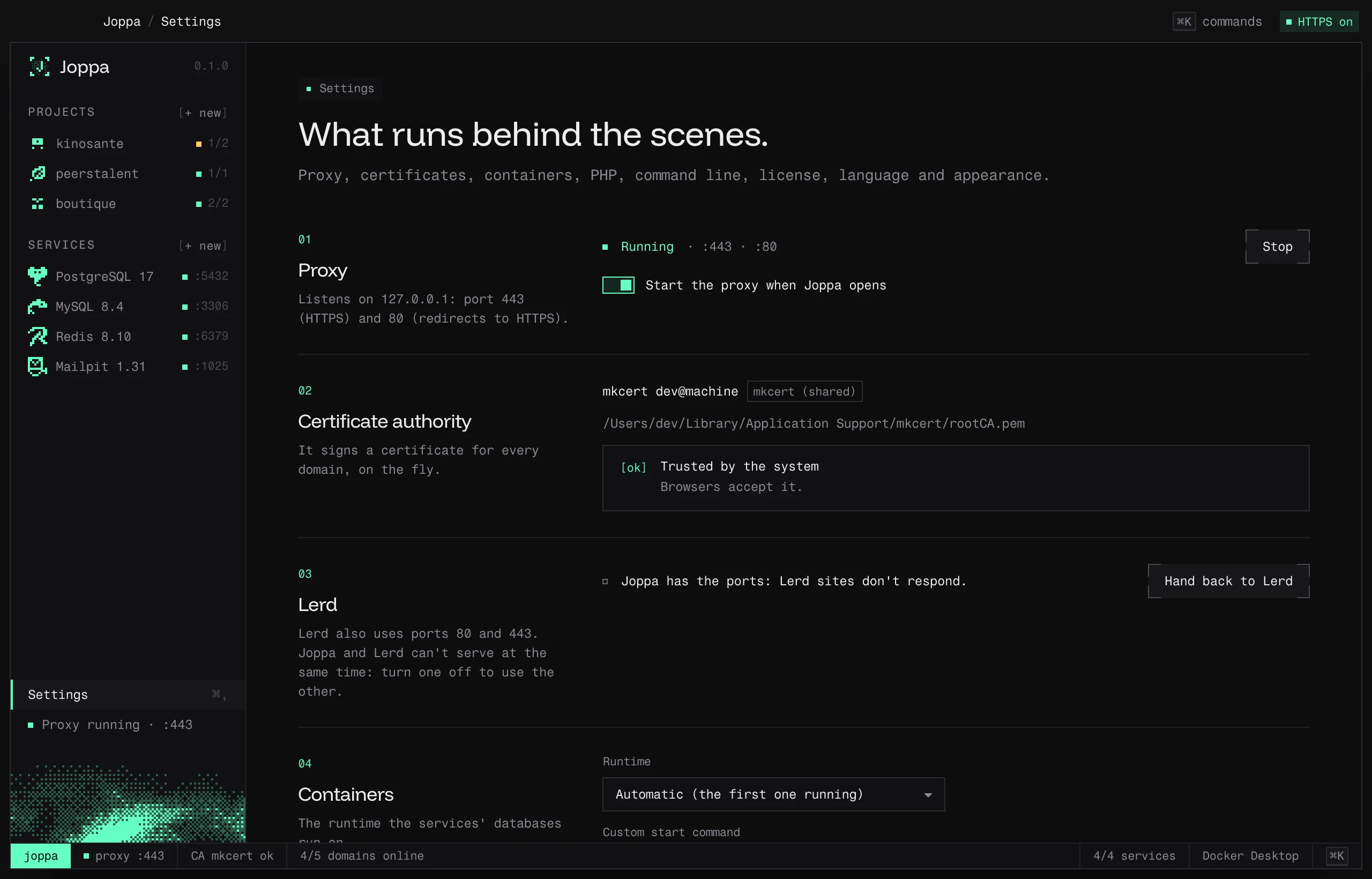
Proxy
Listens on 127.0.0.1: port 443 (HTTPS) and 80 (redirects to HTTPS). Status, Start / Stop, and Start the proxy when Joppa opens (on by default). See HTTPS proxy.
Certificate authority
It signs a certificate for every domain, on the fly. Subject, origin (“Joppa” or “mkcert (shared)”), certificate path, trust status and the command to trust it. See Certificates.
Lerd
Only visible if Lerd is installed: who holds the ports, Stop Lerd and start Joppa or Hand back to Lerd. See Running alongside Lerd.
Containers
- Runtime: Automatic (the first one running), OrbStack, Docker Desktop, Colima or Podman.
- Custom start command: run by the “Start” button instead of the runtime’s own command.
See Container runtimes.
PHP
- Use Joppa’s PHP in my terminals: adds or removes the Joppa block in your shell profile.
- Outside pinned projects: system PHP or a Joppa version.
- Installed versions, and Composer (Download Composer).
See Node, bun and PHP versions.
Command line
- Install joppa / Reinstall: puts the command on your
PATH. - Connect the assistants: registers the MCP server in Claude Code, Claude Desktop and Cursor.
See The joppa command and MCP server.
License
Current plan, account, key, machine, last check. Sign in, Enter a key, Verify, Deactivate this Mac. See License and plans.
Language
English, Français, Español or 中文. Changes the app and its menu bar menu.
Appearance
| Setting | Choices |
|---|---|
| Theme | System, Light, Dark (default) |
| Frame | Glass (native blur) or Solid |
| Icon | Halo, Sky or Dithered, in the Dock and the sidebar (Finder keeps Halo) |
Settings without a UI
config.json also holds the proxy ports (443, 80) and the TLD (test). They can’t be changed from the app.